
Robotics
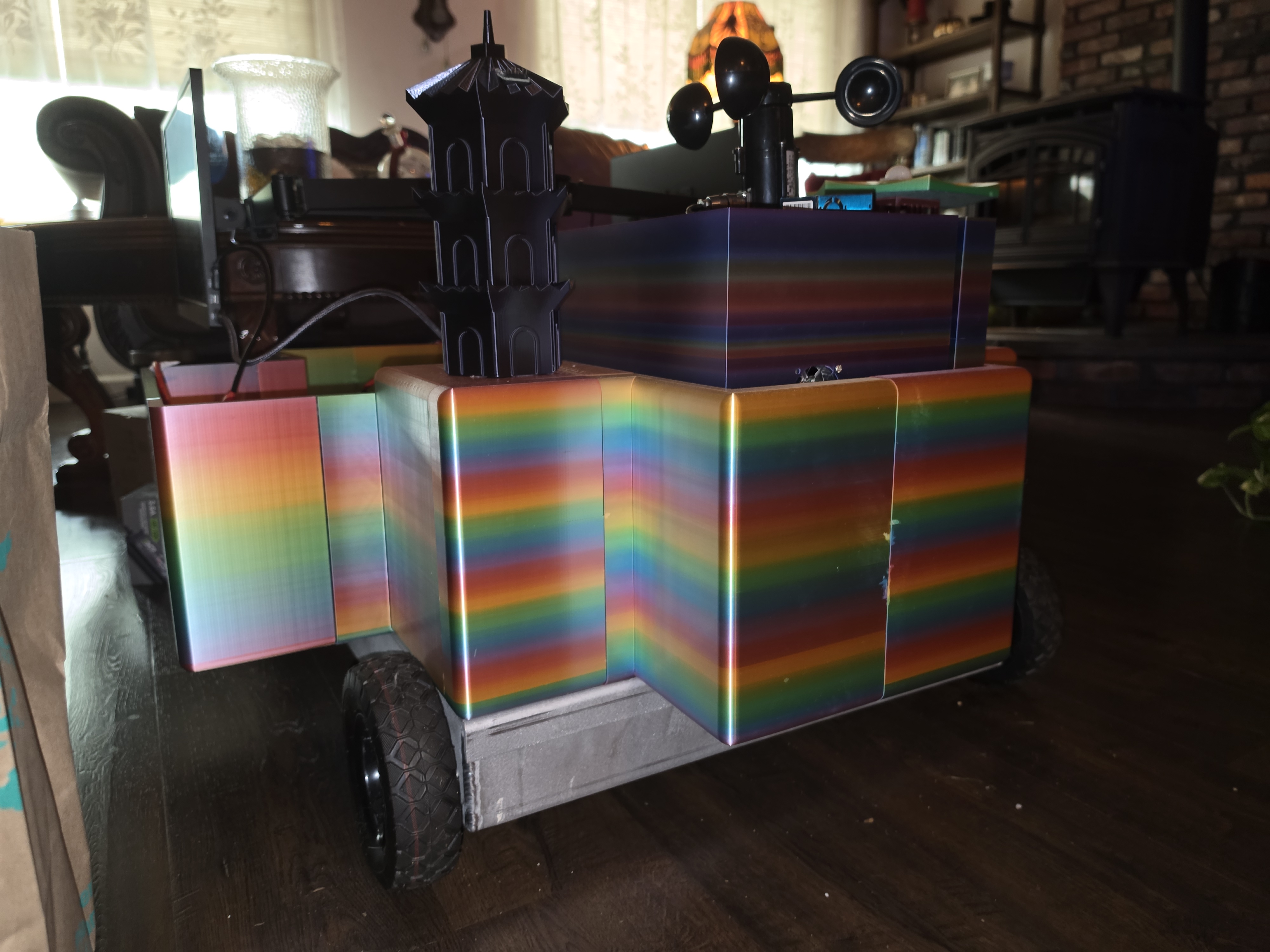
I started this project back in 2023 with an idea I couldn’t shake: build a robot from the ground up that could sense its environment, reason about it with a bit of AI, and drive itself around. It’s a big undertaking, so I split it into three systems and set out to build them one at a time. The first — the environment-sensing system — is now complete, and I wanted to share the progress and publicly release the code I wrote to run it.
The robot
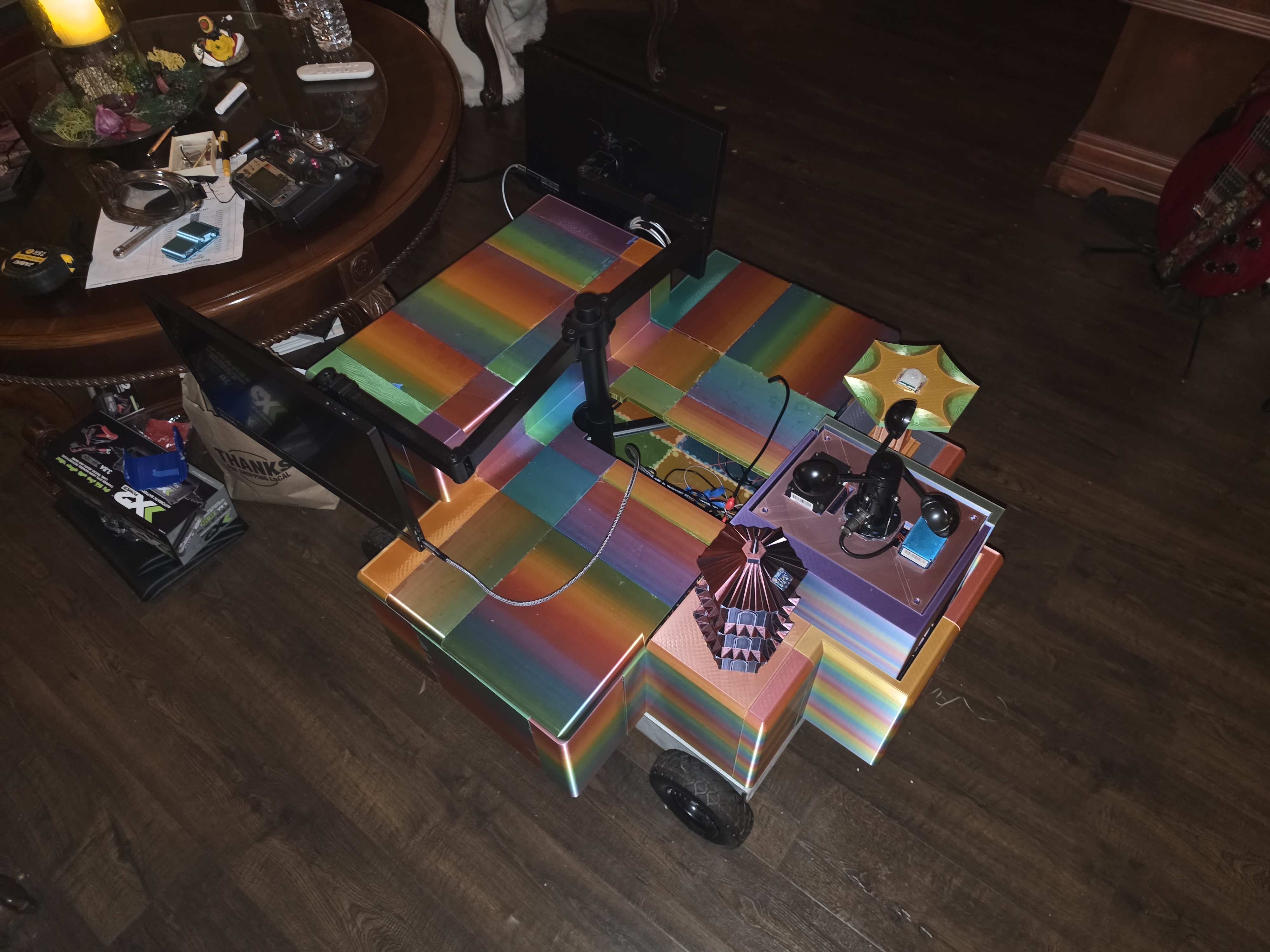
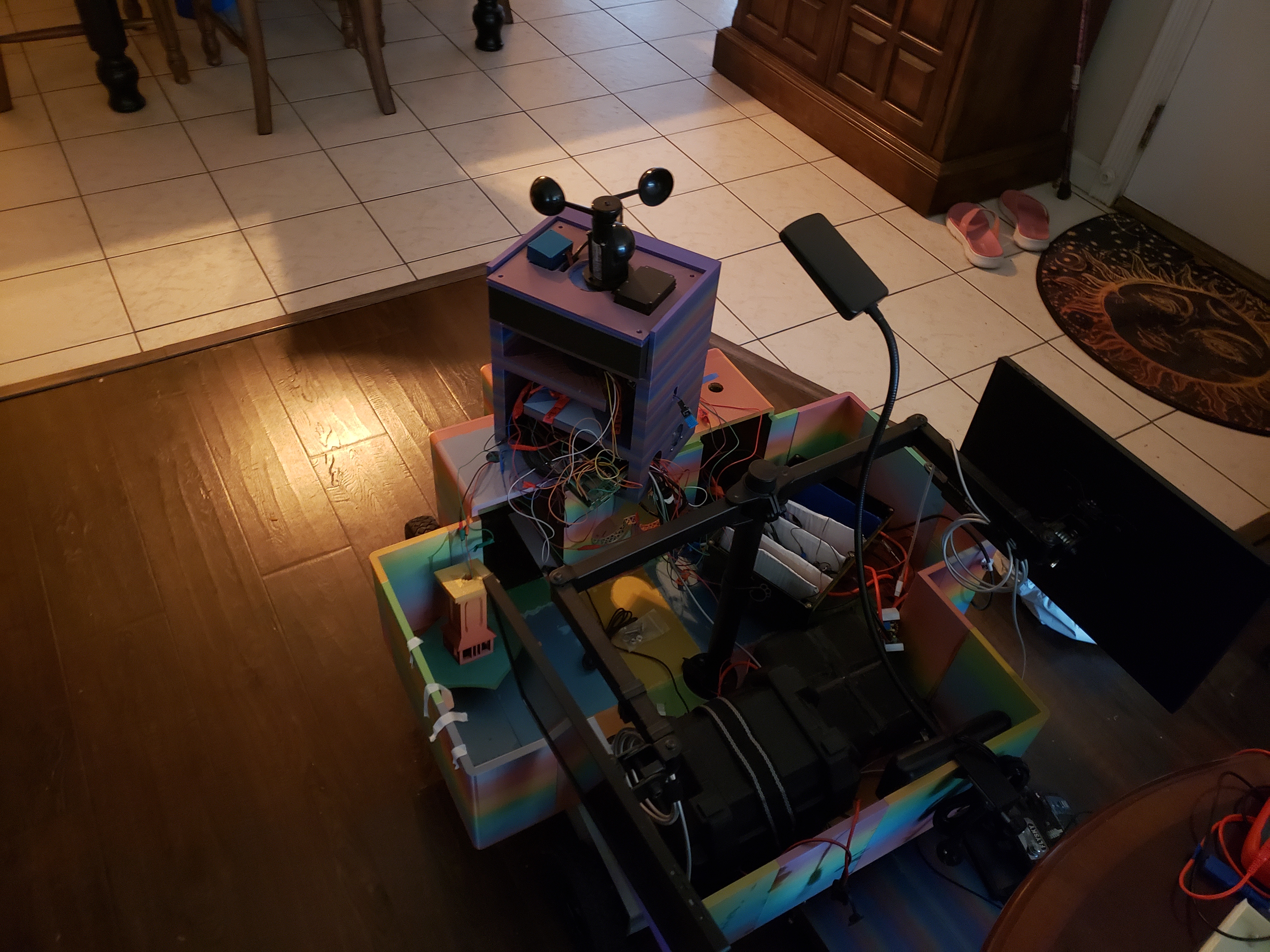
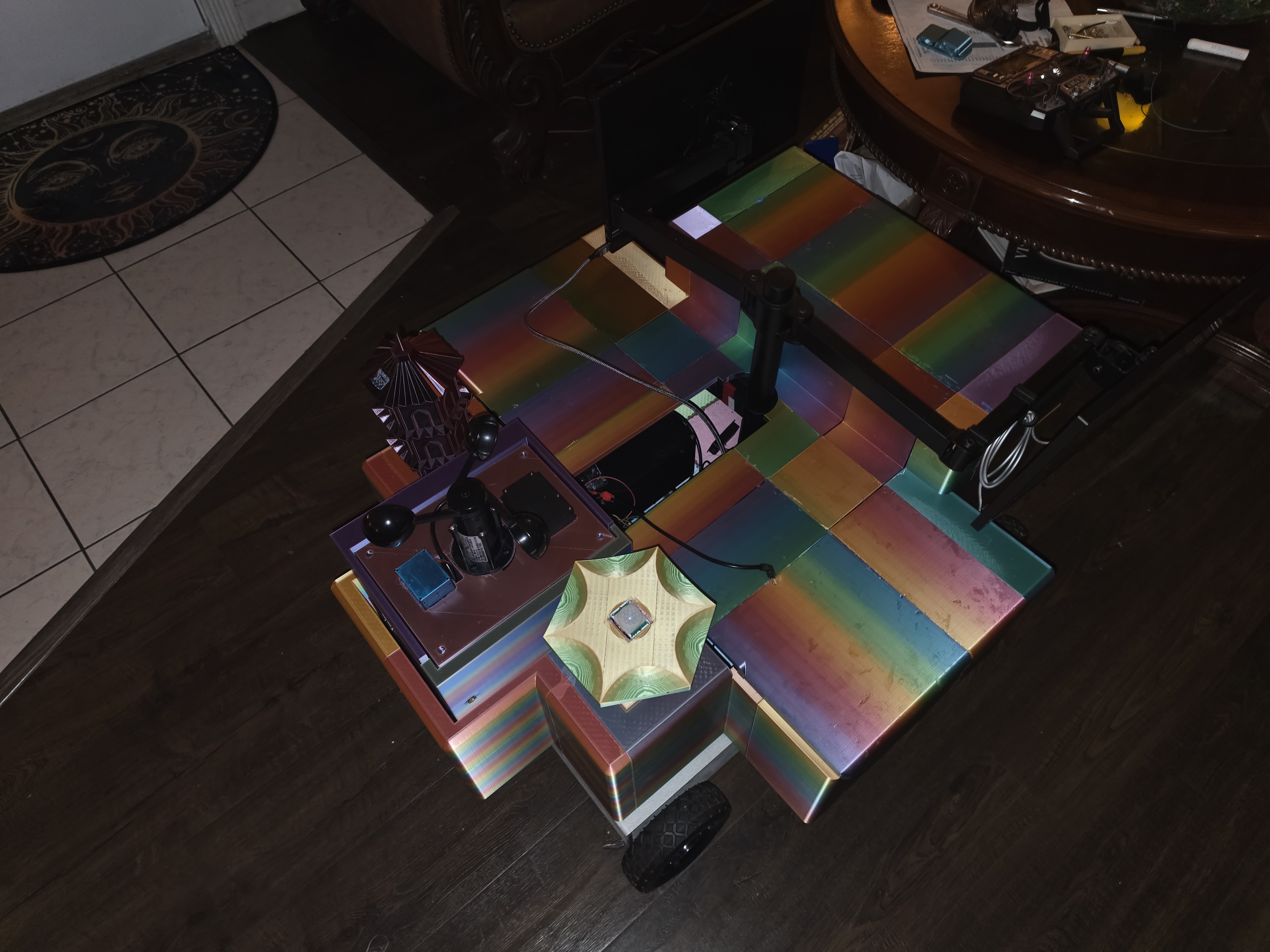
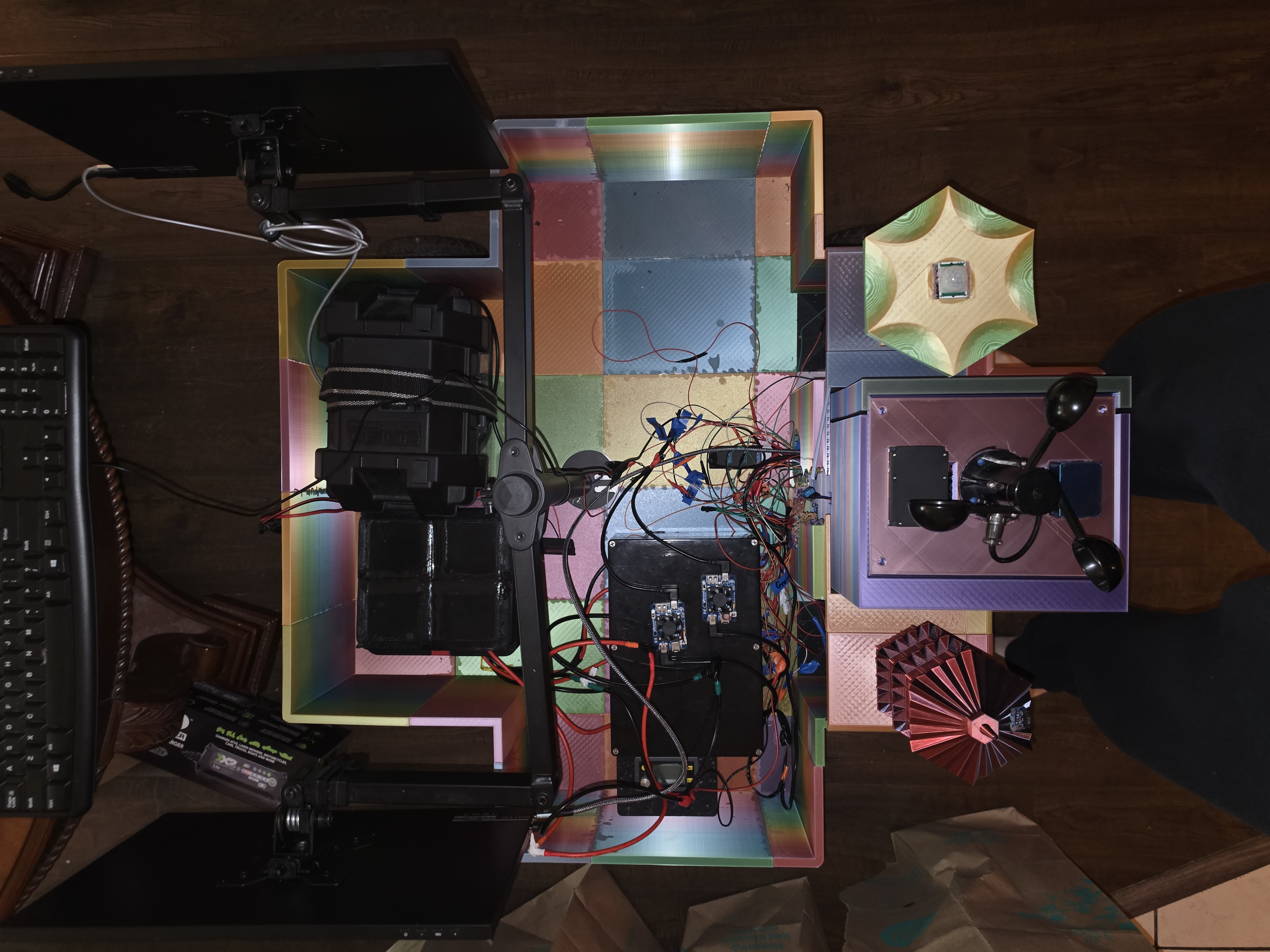
At its core is a Raspberry Pi 5 on a chassis I designed and 3D-printed in rainbow “silk” filament, so the whole thing shifts colour as you move around it. Riding up top is the sensor suite: a spinning-cup anemometer for wind speed, a motion detector, and a tower that houses the environmental sensors — temperature and humidity, particulate air quality, common gases like CO₂ and volatile organic compounds, light level, and barometric pressure. Inside sit the battery, the motor drivers, and the wiring loom that ties everything back to the Pi, while a small monitor on an articulated arm shows the live dashboard. (A 3D-printed pagoda and lighthouse came along for the ride — every robot deserves a little personality.)
RumPi — the sensor library
To bring all of that to life I wrote RumPi, a C++ library built on top of wiringPi. The idea behind it is that hardware should be described, not hard-coded: RumPi reads a JSON manifest of what’s connected and assembles itself at runtime, so adding a sensor is a single line of configuration rather than a code change.
On top of that it handles everything a robot needs to run unattended:
- Component management — polling every device on a fixed schedule and managing its lifecycle, all behind one uniform interface.
- Multithreading — the sensor loop runs on its own thread so readings never stall the rest of the system.
- Alert handling — a thread-safe alert bus checks readings against thresholds and notifies whoever’s listening.
- Logging — written asynchronously, off the hardware thread, so nothing blocks.
- Fail-safe by design — one misbehaving sensor is isolated and logged instead of crashing the robot, and a disconnected input reports “no reading” rather than a convincing-but-wrong value.
Today it supports around thirty component types — sensors, actuators, displays, and the analog-to-digital converters that tie them together.
The dashboard — RumPi Linux Client
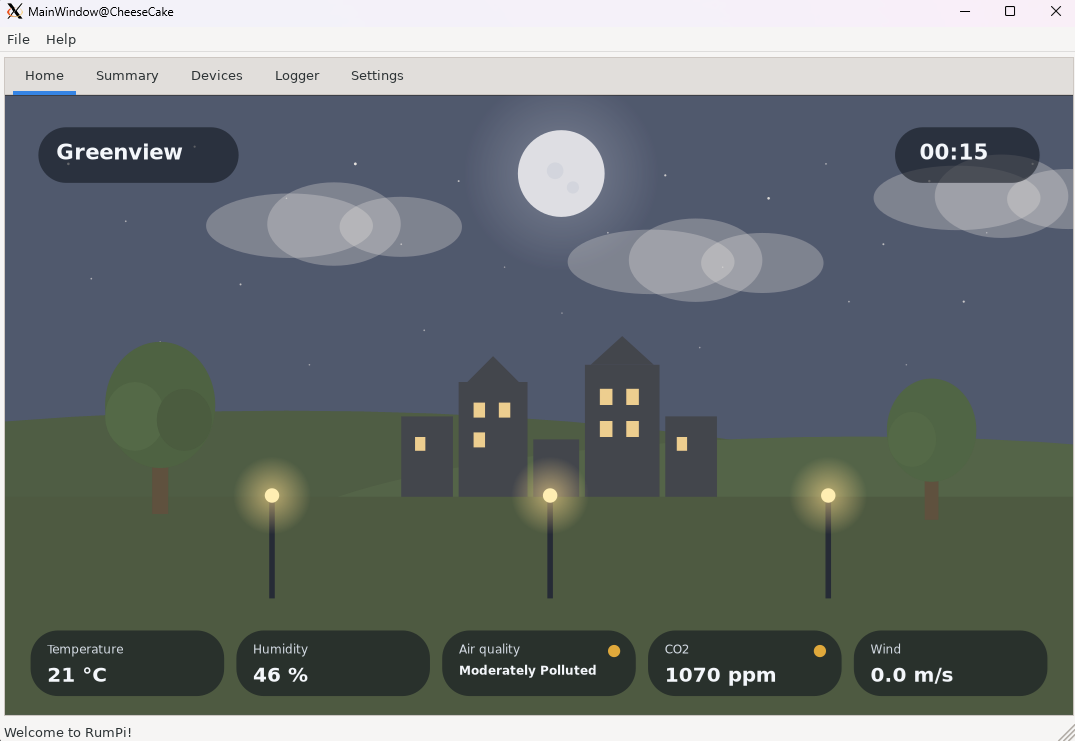
The second piece is the RumPi Linux Client, a desktop dashboard that turns those readings into something you can actually feel. Rather than a wall of numbers, its home screen is a small scene that looks like the weather the sensors are describing: it clouds over as the humidity rises, hazes and browns as the air quality drops, tints warm or cool with the temperature, shows day or night by the clock, and streaks across the sky with the wind. Behind the scene are at-a-glance tiles, a per-device grid, and a live event log. It links the library directly and runs the sensor loop on a background thread, so the interface always stays smooth and responsive.
What’s next
With the sensing system finished, I’m moving on to the two stages I’ve been most excited about: motor and motion control, to let the robot drive and find its way around, and an AI layer to help it make sense of what it’s sensing. Both are designed to slot into the same component model, so a lot of the groundwork is already laid.
Explore the project
The full project is open source, with complete API documentation for both parts: